Football in UniPlayer — Schedules, Match Data, and Jump-to-Goal Right Inside Your Playlist
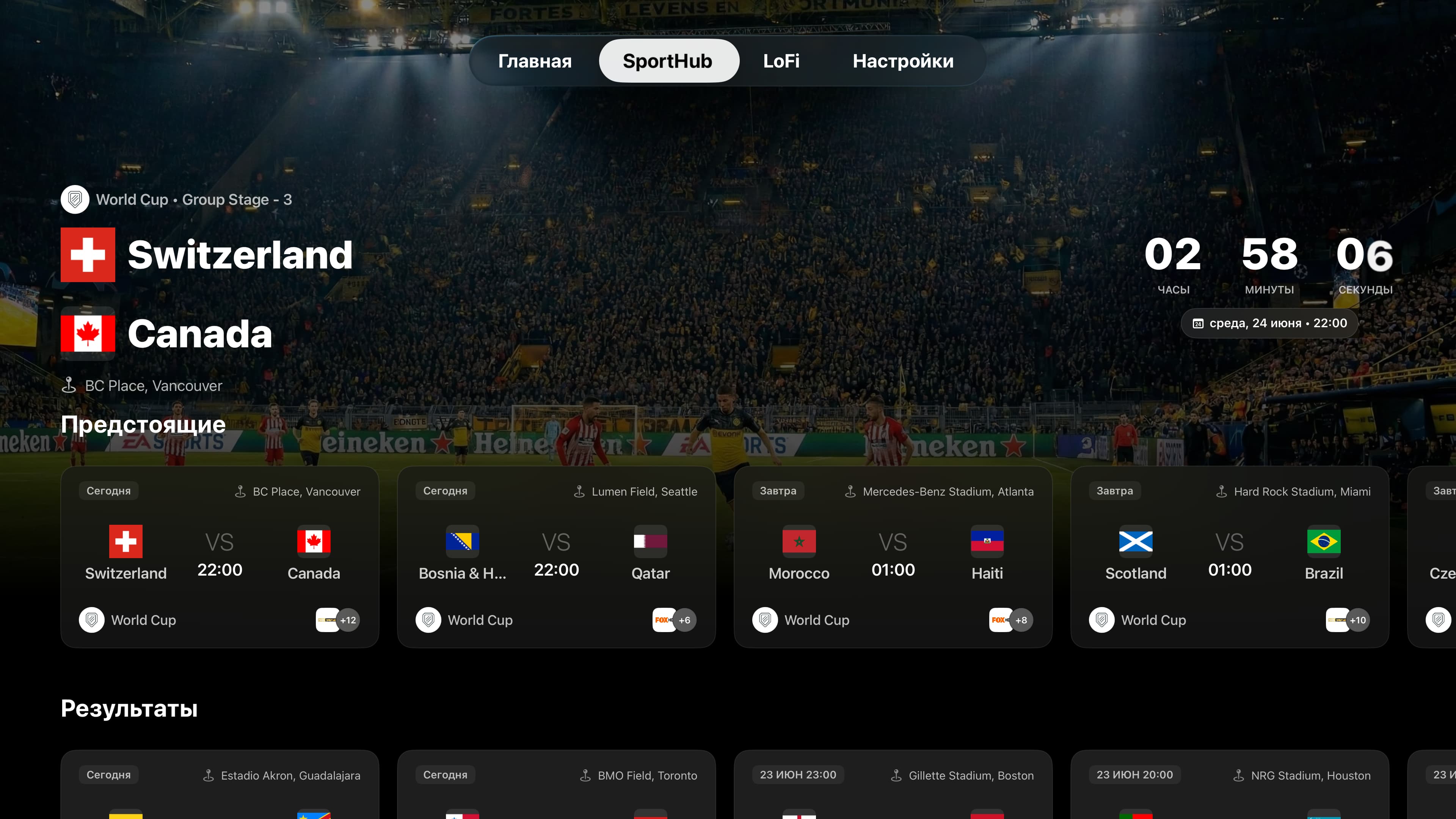
SportHub is a dedicated screen in UniPlayer on Apple TV, iPhone, and iPad that turns your IPTV playlist into a full football hub. It automatically figures out which of your channels is showing a given match, displays schedules for 8 competitions (including the FIFA World Cup 2026), plus scores, line-ups, and stats — and key moments like goals open in the replay with a single tap. SportHub works only with the playlist you've already added and never provides channels of its own. It's included in your regular UniPlayer subscription, and your first 30 days after sign-up are free with full functionality.
The FIFA World Cup 2026 is underway, and Europe’s top leagues are running in parallel. Your playlist has dozens of channels, but the question is always the same: which channel is showing the match, and when? SportHub answers that for you — it takes your own playlist and turns it into a clean football screen with schedules, scores, stats, and a path straight to the match replay.
Here’s how it works and what you get as part of your UniPlayer subscription.
What SportHub Is
SportHub is a dedicated screen in the UniPlayer app, available on Apple TV, iPhone, and iPad. It doesn’t replace your playlist or add new sources — it makes the playlist you already have smarter.
Let’s be clear about the most important point up front: SportHub doesn’t provide channels and doesn’t broadcast matches itself. It works exclusively with the playlist you’ve already added to UniPlayer. If your playlist contains a channel that’s carrying a match, SportHub finds it and shows you where and when to watch. The video always comes from your own provider — we simply do the matching.
SportHub is included in your regular UniPlayer subscription — there’s nothing extra to pay for it. And when you sign up, you get 30 days of full access to everything in UniPlayer, free, with no payment details required. That makes it the perfect time to try SportHub during the World Cup.
How It Works: Automatic Match-to-Channel Linking
This is the part no ordinary IPTV player can do.
SportHub uses only the data inside your playlist — channel names and the electronic program guide (EPG). From there:
- We find matches between your playlist’s channels/EPG and real fixtures.
- We map those matches onto the official competition schedule.
- We layer on data about the match, the competition, the teams, and the venue.
The result: next to every fixture in the schedule, you see the specific channel from your playlist that’s carrying it. No more manually hunting for “where is Real Madrid playing today” and cycling through channels — SportHub has already lined it all up for you.
Everything About the Match — Before, During, and After
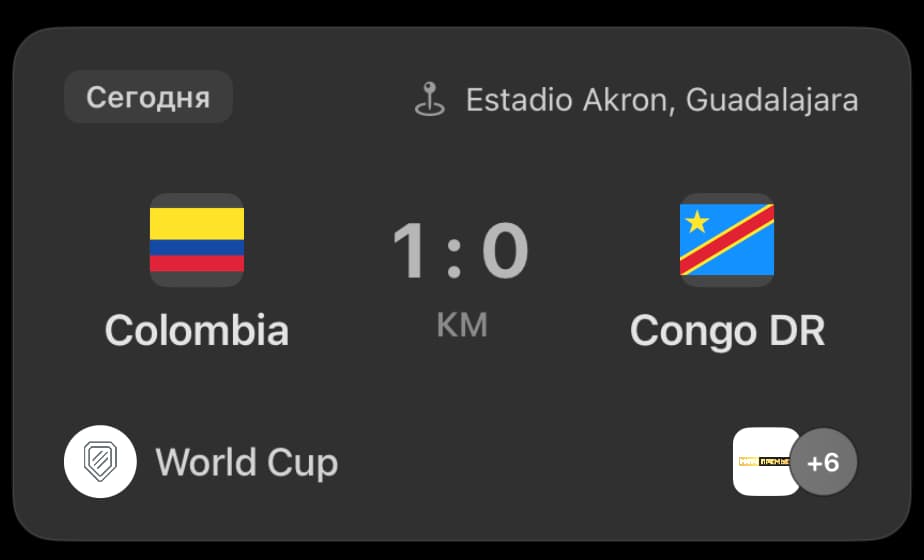
For each fixture, SportHub shows a detailed card:
- Date, time, venue, and stadium
- Live or final score
- Team line-ups
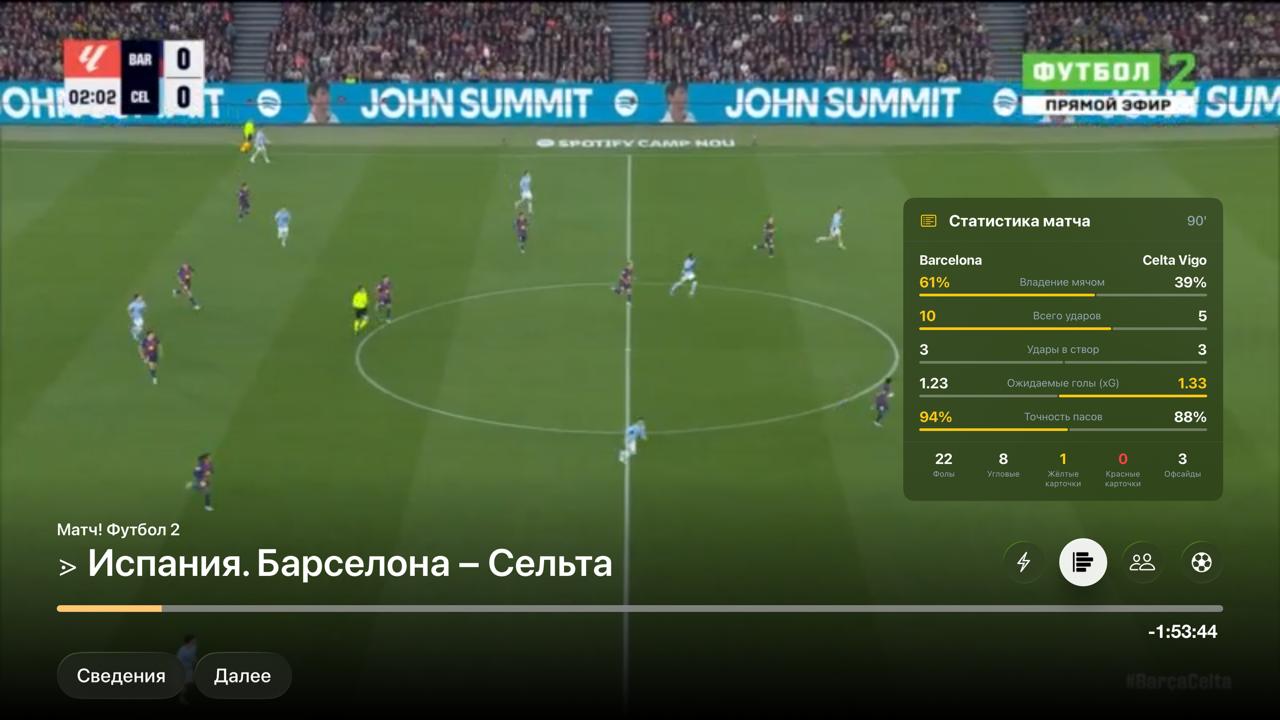
- Stats: possession and key metrics
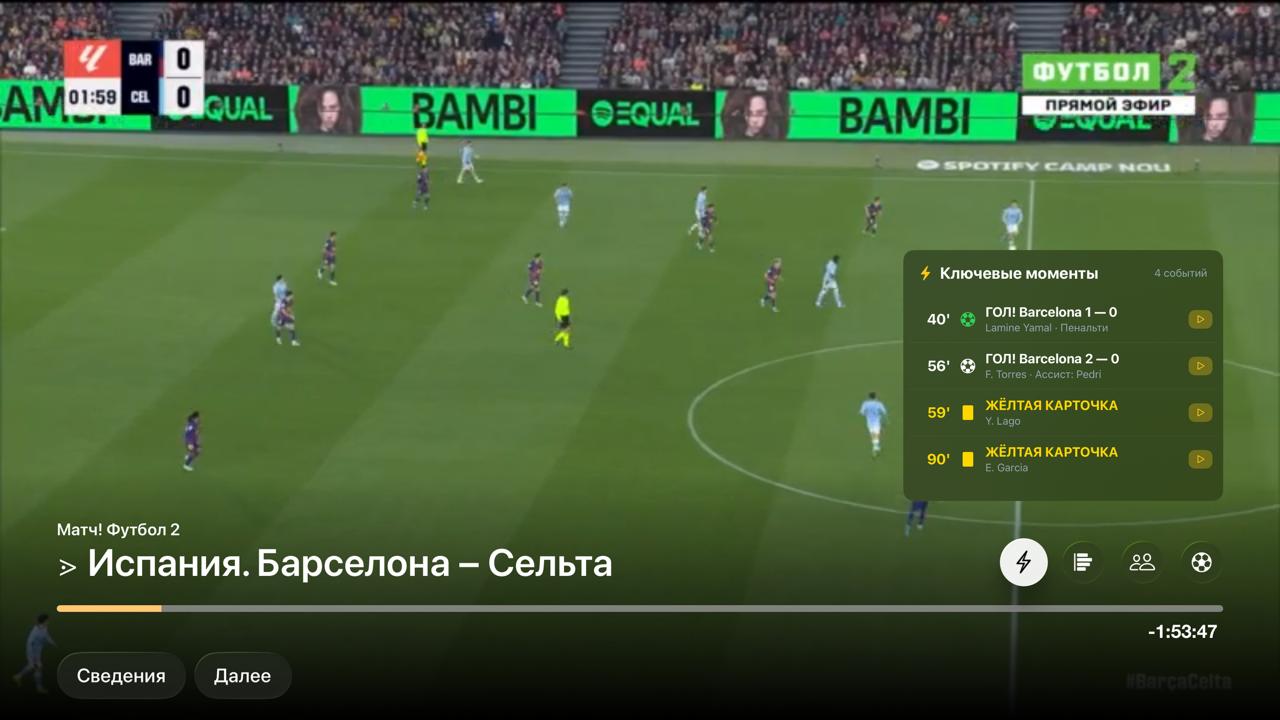
- Key match events (goals, cards, substitutions)
- Player positions on the pitch
And all of it is available not just on the dedicated screen, but right while you’re watching — as an overlay on the video, whether the match is live or a replay. You never have to leave the player just to check the score or the line-up.
Replays and Jump-to-Goal — Our Favorite Feature
Missed the match? From the SportHub screen, you can open any past match and watch it as a replay — as long as your playlist’s provider keeps an archive of sufficient length on that channel.
But here’s the best part: navigating by key moments. You pick an event (a goal, for example), and the player jumps right to it. We deliberately land you one minute before the event — so you can settle into the moment and see the goal build up, rather than dropping straight into the celebration.
The jump is calculated using absolute time, so the exact entry point can vary slightly from one provider to another, depending on how precisely the archive is recorded on a given channel. In the vast majority of cases, though, you land exactly where you want to be.
Spoiler-Free Mode — Don’t Learn the Score Too Soon
This matters especially for IPTV: the stream often runs with a delay, and goal data can arrive before you actually see it on screen. To keep spoilers away, SportHub has a built-in spoiler-free mode.
You can hide scores and events with a single toggle — globally, across all of SportHub. When you’re ready to see the result, you turn the mode off and the scores appear. Perfect if you want to watch a replay later in the evening without knowing the outcome.
Supported Competitions
SportHub currently covers 8 competitions:
- FIFA World Cup 2026
- UEFA Champions League
- UEFA Europa League
- UEFA Nations League
- Premier League
- La Liga
- Bundesliga
- Ligue 1
What’s Next
SportHub is evolving quickly, and we have big plans:
- More leagues and competitions
- With good feedback — sports beyond football, too
- A list of favorite teams and competitions
- Match reminders
- And much more
A lot of this depends on your feedback — so if you have ideas or requests, let us know.
How to Try It
SportHub is already available in UniPlayer on Apple TV, iPhone, and iPad. All you need is your playlist (M3U / M3U8 and other supported sources) already added to the app. Open the SportHub screen, and the match schedule — linked to your own channels — appears automatically.
SportHub is included in your regular UniPlayer subscription, and your first 30 days after sign-up are free, with full functionality. The FIFA World Cup 2026 is the perfect reason to give it a try.
Follow along and reach out:
- Telegram: @UniPlayer
- Support: [email protected]